Wallet Users and Policies
This final guide covers provisioning wallet users, creating a database policy to issue credentials, and connecting to the database using those credentials.
Wallet User Management
Step 1: Add Wallet Users
To provision additional user wallets, go to Users → Wallet Users → Add Users.
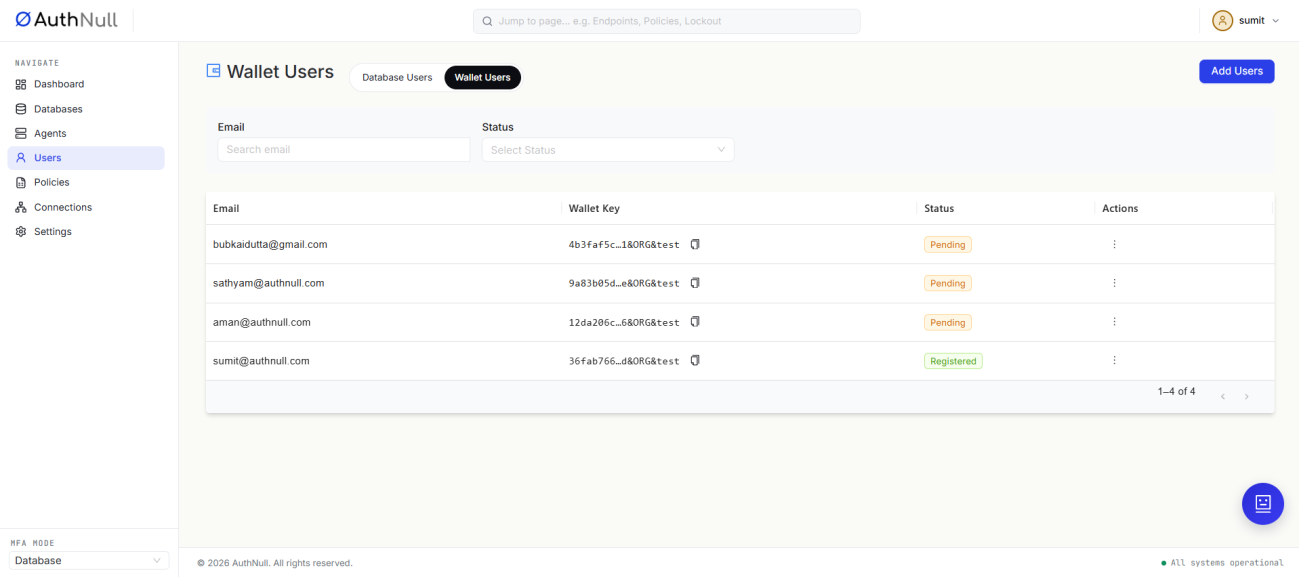
Wallet Users screen
Step 2: Provision User Wallets
Newly added users appear with a Pending status until they complete registration of their wallet. Once registered, their status updates to Registered and they can receive delivered credentials.
Database Policy Configuration
Step 3: Create a Database Policy
To issue database credentials to a user's wallet, go to Policies and create a new Database Policy.
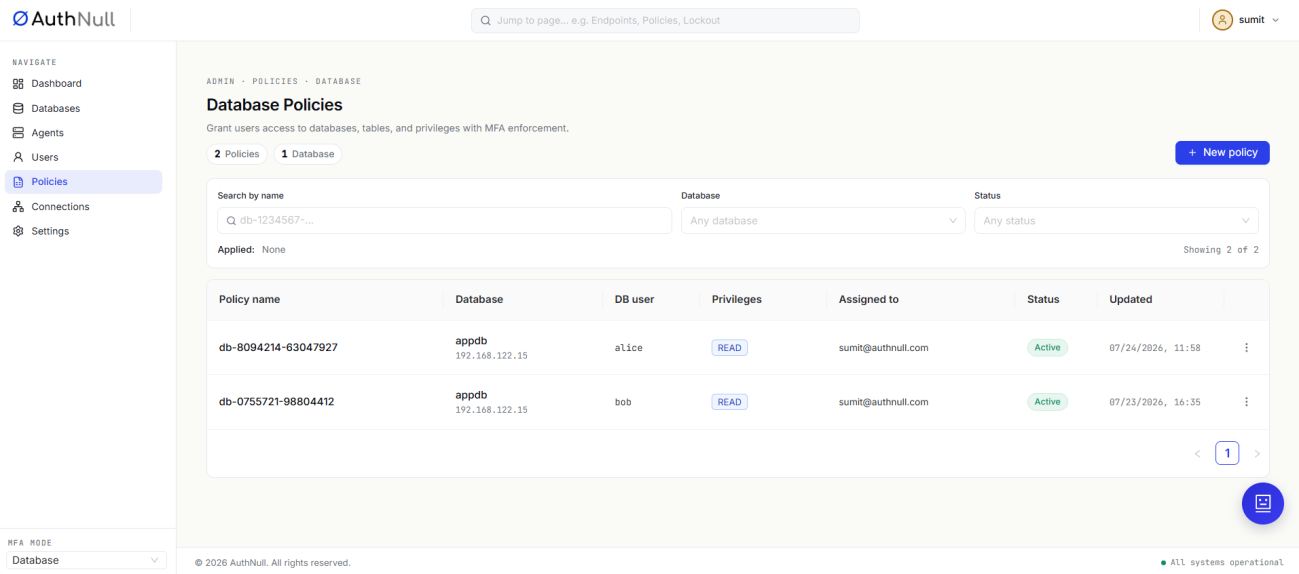
Database Policies screen
Step 4: Deliver Credentials to User Wallets
Once the policy is created successfully, the corresponding credentials are delivered to the user's wallet automatically.
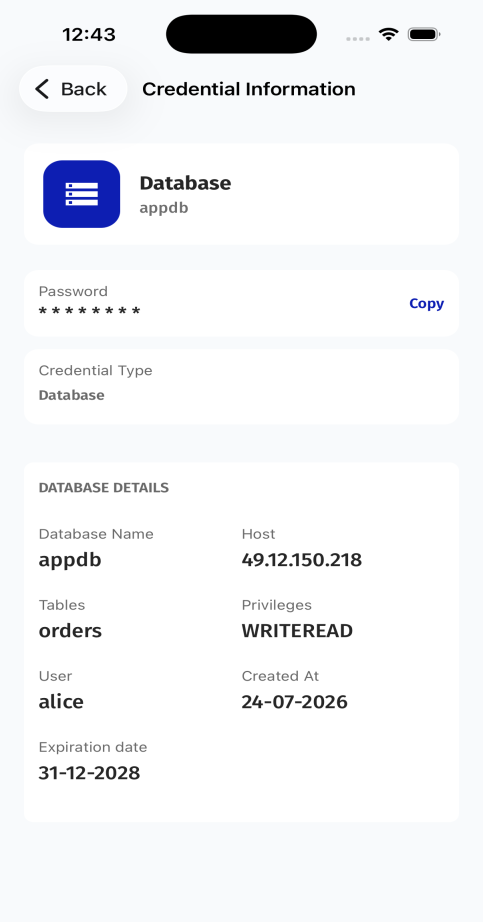
Credential information in the mobile wallet
Connect to the Database
Step 5: Access Connections
Go to Connections and click Connect to establish the session using the delivered credentials.
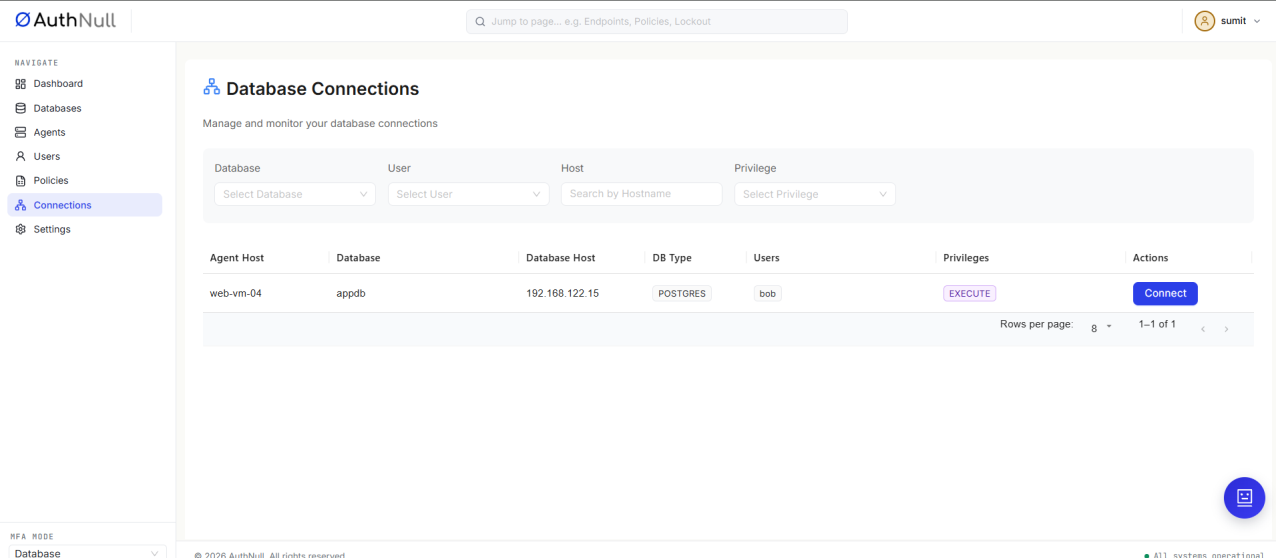
Database Connections screen
Step 6: Establish a Session Using Wallet Credentials
Review and approve the credential share request in the wallet app to authenticate and complete the connection.
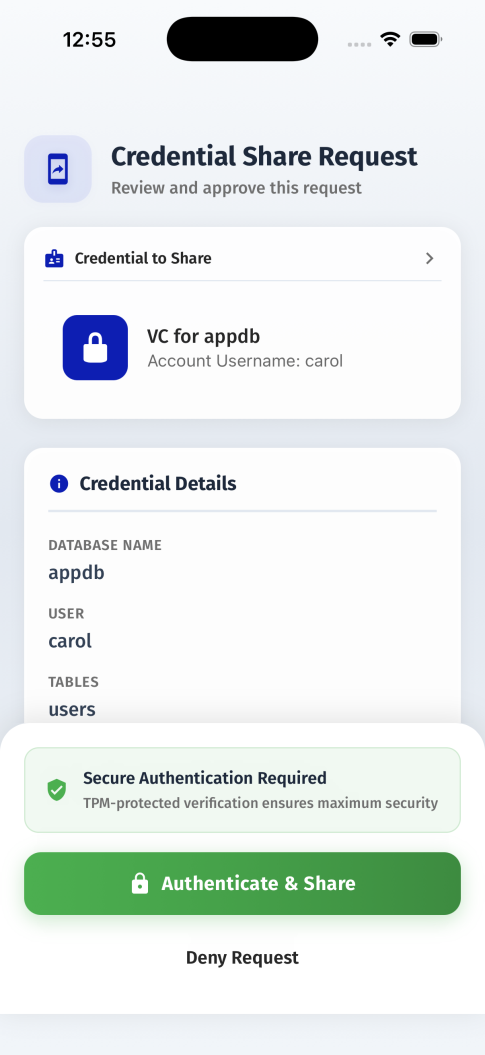
Credential share request in the mobile wallet