Organization and Tenant Setup
With the stack running and reachable through Nginx, register the organization and confirm that its tenant was created correctly.
Step 1: Create the Organization
Open the sign-up page:
- Domain mode:
https://onprem.customer-domain.com/org/signup - Bare-IP mode:
http://SERVER_IP/org/signup
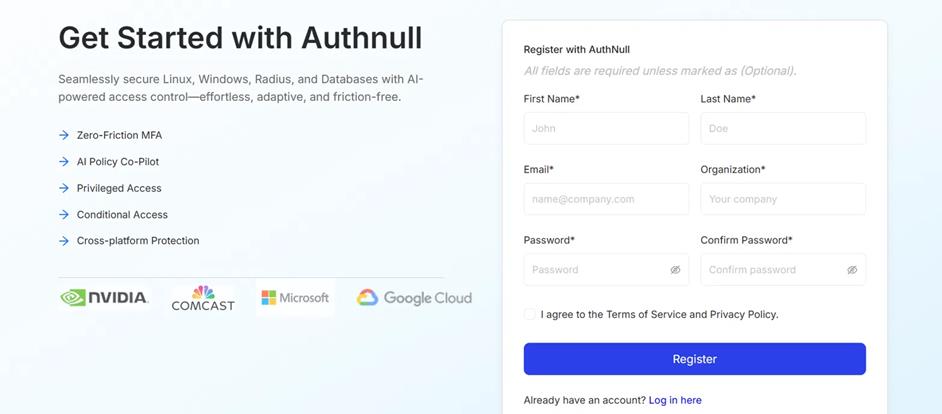
Authnull organization sign-up form
Use exactly the organization name set in ORG_NAME in .env. The tenant in DOMAIN_URL is derived from it; a mismatch means sign-in cannot find the organization.
After you submit the form, the page shows "Organization Registered Successfully". A verification email is sent to the address you registered; its link opens /org/verify-email, which shows "Email Verified Successfully".
Step 2: Verify the Tenant Setup Email
After the organization is created, an email arrives with the subject "Tenant setup: Default Tenant has been created for AuthNull".
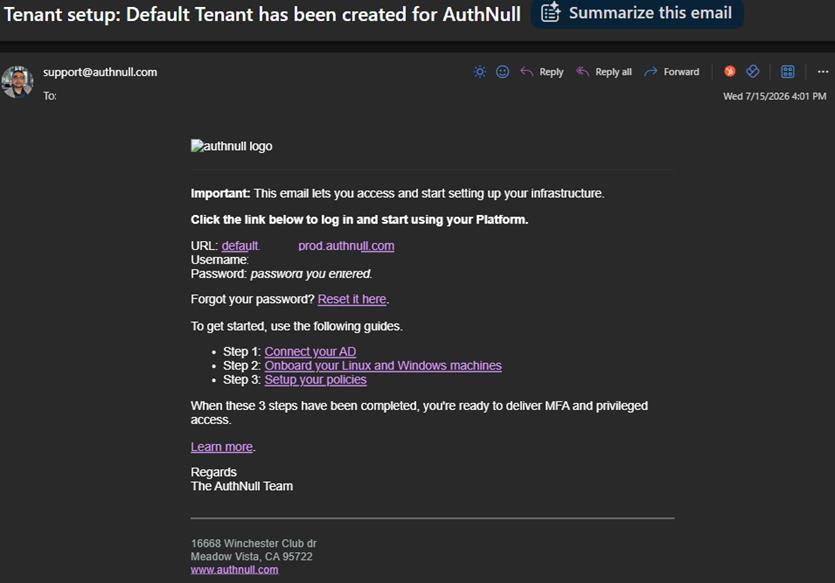
Tenant setup confirmation email
Step 3: Validate the Tenant
The email contains the tenant name, for example default.customer-org-name.customer-domain.com. Check that it matches DOMAIN_URL in .env.
You can also confirm the organization's database exists:
docker exec -it $(docker ps --format '{{.Names}}' | grep -i postgres) sh -c 'psql -U "$POSTGRES_USER" -d postgres -Atc "select datname from pg_database"'
The list should include a database named after the organization (for example customer-org-name).
Next Steps
Continue to Choose a Product to try Active Directory, Database, RADIUS, or PAM MFA.