Connecting
Users open database sessions from the Connections screen. Every connection needs a fresh one-time token, and - if the policy says Require MFA - an approved push.
Before You Connect
- You are signed in to the console, and a policy names you under Select IAM Users
- You are enrolled with the organization's MFA provider and have your phone with you
- For a terminal connection: network access to the agent host on port
6133(PostgreSQL) or6033(MySQL), and apsqlormysqlclient
Connection Methods
Go to Connections and open the Connect menu for the database.
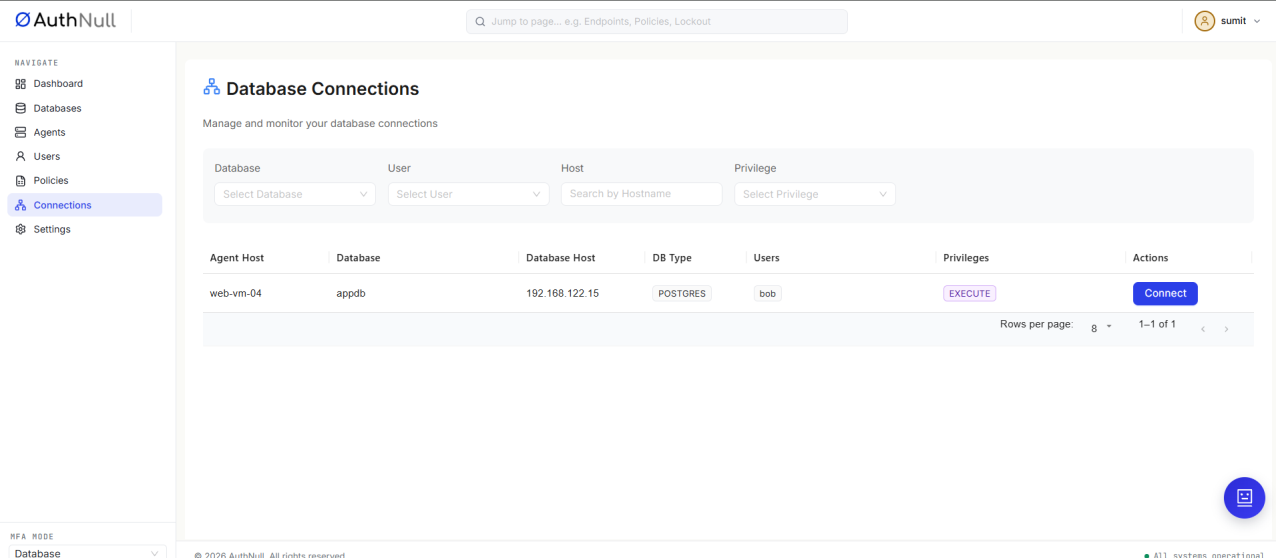
Database Connections screen
Use Web Console
Opens a psql (or mysql) session in the browser. Approve the push when it arrives; the console then shows the database prompt.
Use Direct Access
Shows a connection command to copy and run on your own machine, for example:
psql postgresql://<database user>,<token>:'<token>'@AGENT_HOST:6133/<database>
Run it, then approve the push.
ProxySQL's PostgreSQL port does not offer TLS. If your client reports SSL SYSCALL error: EOF detected, connect with SSL disabled: PGSSLMODE=disable psql ....
Use pgAdmin
PostgreSQL only. Shows the connection details to enter in pgAdmin. The policy must grant READ, WRITE, and EXECUTE.
The One-Time Token
- The token in the command is valid for 180 seconds. Run the command straight away.
- It works once. Generate a new connection for every login.
- The token appears twice - in the username after the comma, and as the password. Both are the same value.
Approving the Push
The push arrives on the device enrolled for your console account's email. Approve it and the session opens; if you deny it or do not answer in time, the login is refused.
If the login fails, see Troubleshooting.